 AppKeeper
Every app you install, kept as a file you own.
AppKeeper saves your apps as APK files in a folder you choose and puts them back whenever you need them. After an update that broke something, an app you removed by mistake, or a move to a new phone.
- No ads
- No root
- Android 6 and newer
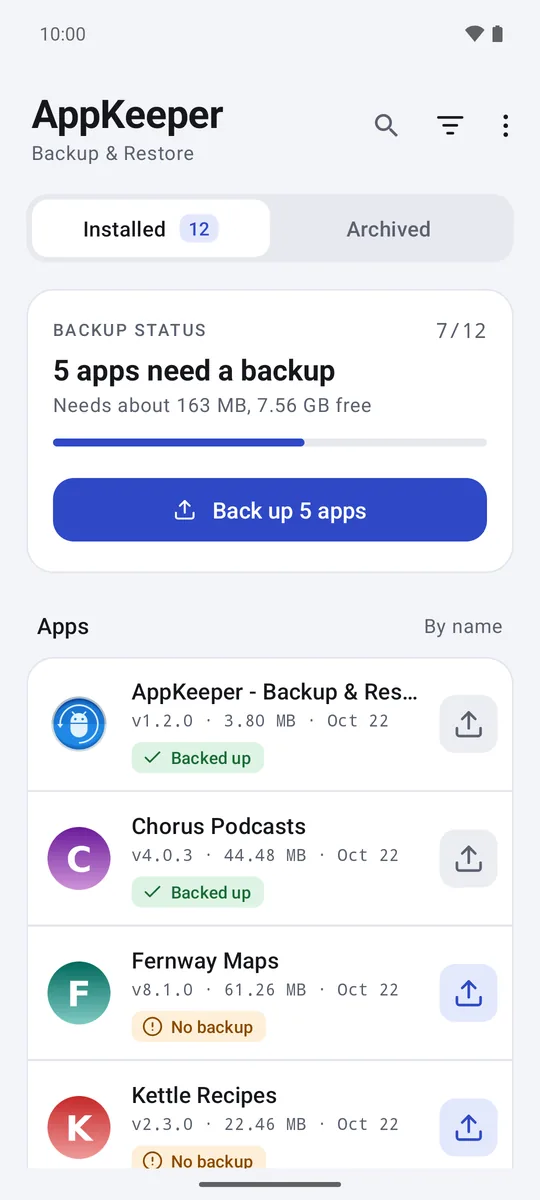
Back up what changed. Restore what you need.
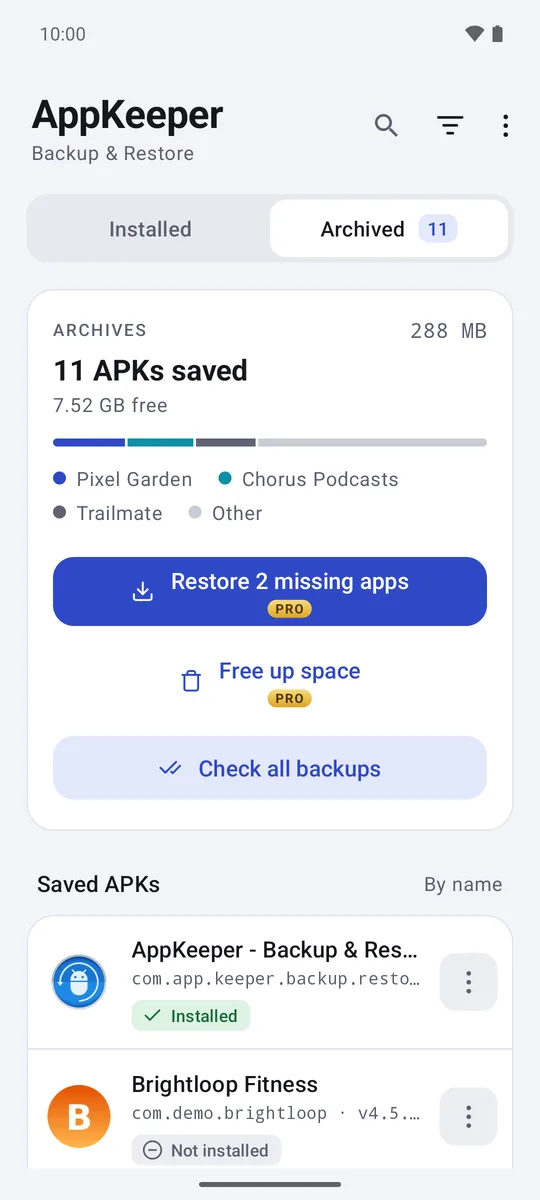
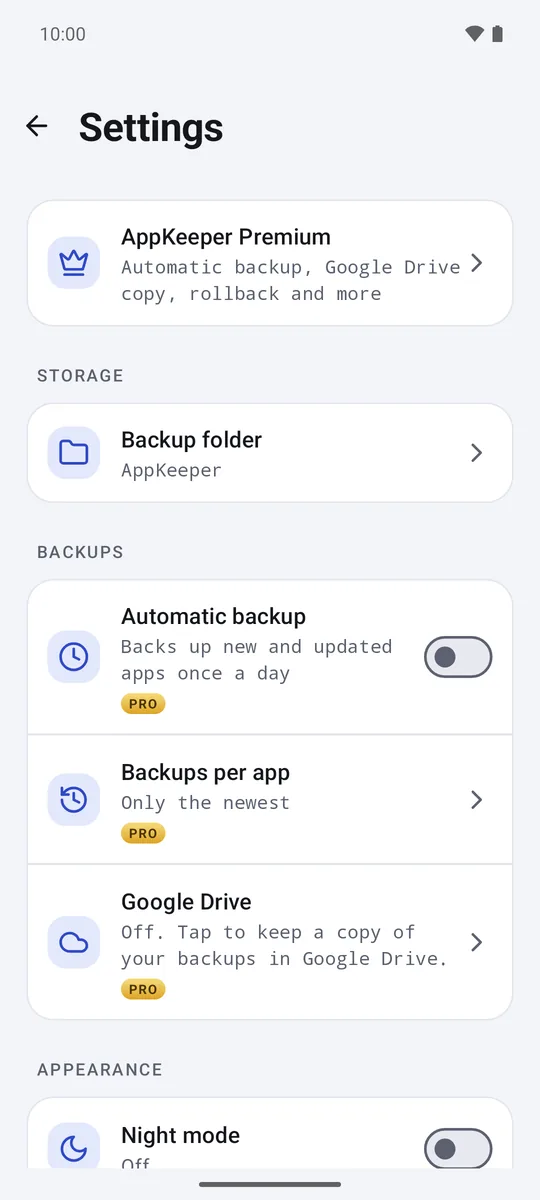
Your backups are ordinary files. Copy them to a computer, keep them on an SD card, or let AppKeeper keep a copy in your Google Drive.
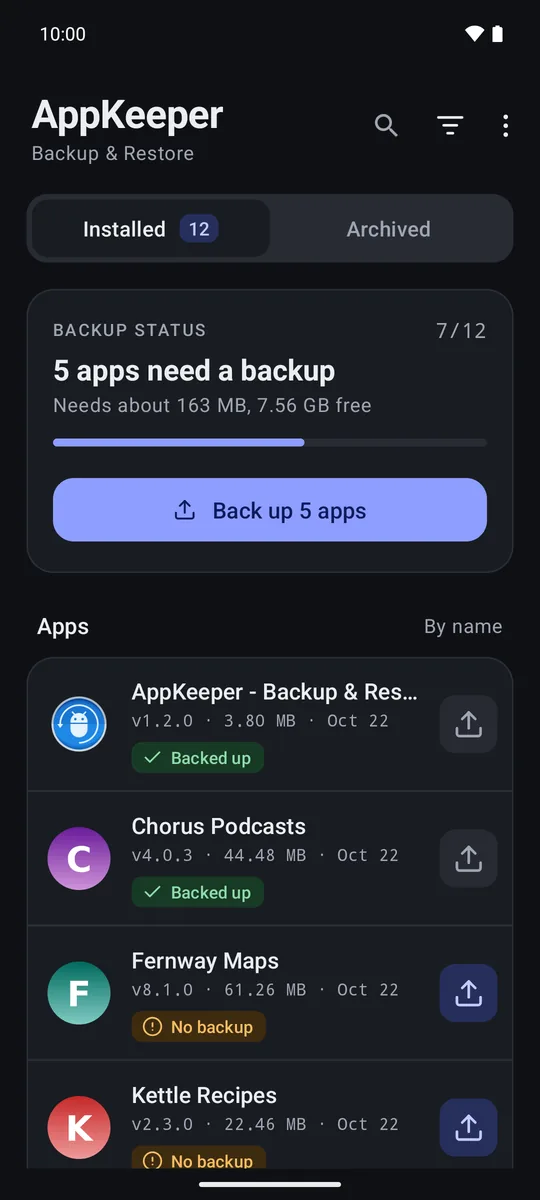
See what needs a backup
Each app shows whether it has a backup, an outdated one, or none. Back them all up in one tap, or pick from a list. Apps from Google Play made of several parts are saved as one .apks file.
Restore with a check first
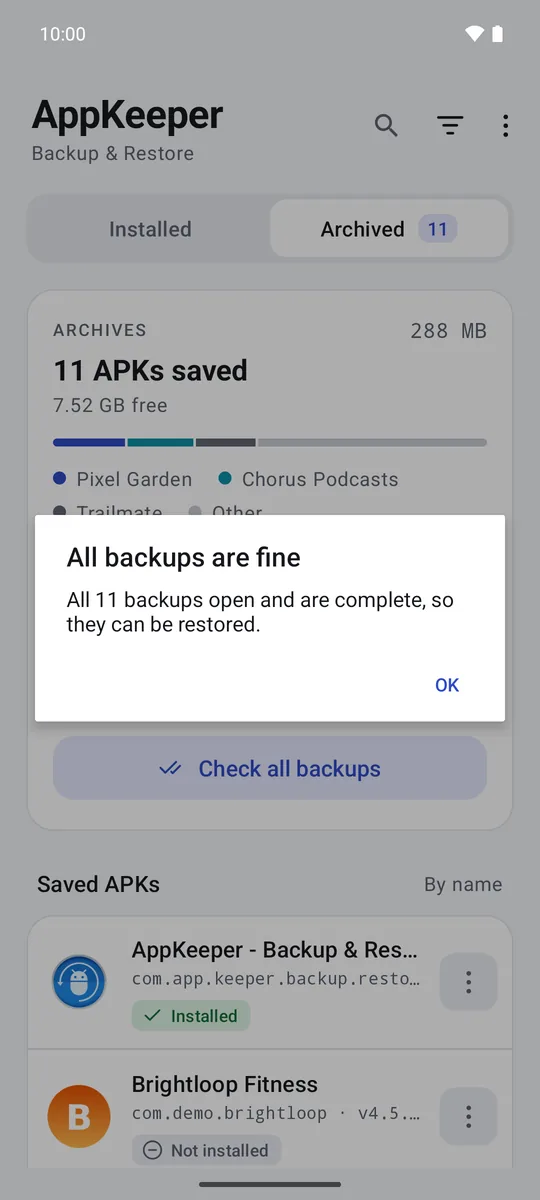
Before reinstalling, AppKeeper checks the file opens, is complete, is signed with the same key as the installed app, and was made for a phone like yours. Problems are explained before anything is installed.
Roll back or move phones
Keep older versions to go back after a bad update. On a new phone, import your app list and get each app back from its backup or from Google Play.
Clear about every backup.
Your backups stay where you put them.
AppKeeper keeps your backups in the folder you choose. They leave your phone only if you turn on the Google Drive copy, and then they go straight to your own Drive.
Only its own files in Drive
With the Drive copy on, AppKeeper can see only the files it created there, nothing else in your Drive.
No accounts, no ads
There is nothing to sign up for. AppKeeper sends limited usage and crash information to improve the app, described in the policy.
Good to know
AppKeeper backs up the app itself (the APK), not its data such as logins, settings or game progress. Android asks you to confirm every install. Some apps check their license or download extra content at first start, so the APK alone may not be enough for them.